Best Free Eklipse Alternatives Now That Eklipse Isn't Free (2026)
 Founder, klypra – @henri_tmp
July 26, 2026
We compare four tools that still let you clip Twitch streams for free, now that Eklipse has dropped its free plan.
Founder, klypra – @henri_tmpWe compare four tools that still let you clip Twitch streams for free, now that Eklipse has dropped its free plan.
The four tools we found that still let you clip Twitch streams for $0.
Eklipse's free plan is gone in every way that counts. Since June 2026 the free account is a preview: Eklipse's AI scans one of your recent streams and shows you what it found, and that is where it stops. Exporting a clip needs a paid plan.
Eklipse Premium is $24.99/month, or $179.99/year which works out at about $15/month, for something you were doing for free just last month. If you're a Twitch clipper or streamer, you still have similar free options. We found four solid free alternatives instead of Eklipse. Many popular lists talking about "The Best Eklipse Alternatives" are just outdated and won't regard Eklipse ending its free plan. Most of them still compare Eklipse's old free plan with other alternatives.
With that not being the case anymore, it's time to compare new FREE alternatives! One alternative even lets you monitor streams while they are live.
You can still create an account on Eklipse, connected with Twitch, YouTube or Kick, without entering your credit card information.
On Eklipse's homepage you'll be able to let AI scan your channel and detect a few highlights for free. That way you are able to see how good Eklipse is with highlight detection. It's not a free trial, it's just this one feature to test. Behind the paywall: watermark-free downloads, higher quality exports, editing and reframing.
The old free plan used to let you export in 720p, monitor one stream per day, and get a watermark on every clip. That plan doesn't exist anymore, the preview is all that's left.
Eklipse's free browser tools, like the Twitch Emote Maker or the Twitch VOD Downloader are still free.
Not every FREE tool is equally useful for Twitch clippers and streamers. The most important difference: live monitoring and auto-highlight detection vs. uploading VODs after stream.
So here's what you should look out for, when searching the best free Twitch clipping tool:
Tools, like klypra.app (and Eklipse before it went paid) detect stream highlights the moment they happen and ship them within minutes in form of a fully reframed and edited clip. Other tools (e.g. Opus Clip, Vizard AI) need a VOD being manually uploaded after the stream. That delay costs you: other clippers might already be posting the moment while you're still uploading the VOD. We go deeper on why that gap matters in real-time vs VOD-based clip generators.
Opus Clip, for example, only accepts YouTube links on its free tier, which is basically not worth using for Twitch clippers and streamers.
As a trade-off for a free tier, most tools stick with a watermark printed on your clip. Some really noticeable, others more calm.
StreamLadder, for example, might offer a free plan for $0. However, StreamLadder skips the AI editing part entirely, leaving you with the time-consuming process of manually editing your clips. This matters if you want to save time, and not become a full-time-editor.
klypra is the only tool on this list that's perfectly built for monitoring live streams, detecting highlights in real time, and delivering a post-ready clip. And all that, on a forever-free tier.
For $0, you can monitor one channel at a time for up to 4 hours a day, get up to 5 clips/day and 50/month, and you don't need to enter any credit card info.
What klypra does to your clips:
klypra reframes a stream from 16:9 to 9:16 so it fits perfectly on everyone's For You page. When a streamer uses a small facecam and shows the gameplay in the background, klypra auto-detects the facecam, places it in the top third, and shows the gameplay below.
If auto-detection fails, you can still manually adjust or add a facecam in the Telegram settings.
IRL streams/full-cam streams come as a full 9:16 video, with klypra sometimes switching between speakers.
klypra offers a variety of viral subtitle styles to choose from. The clip is automatically transcribed, and subtitles are burned in. klypra can also cut out silence to make clips more engaging and fast-paced for TikTok, Reels, and Shorts.
If you want your clips delivered straight to your phone, klypra offers a Telegram connection. Users can create a Telegram bot for free and link it to their klypra account within minutes. You can use Telegram to re-edit clips, manually add a facecam if detection fails, and get notified when a streamer goes live.
Clips made by klypra always come with a watermark, since there's no paid plan yet and klypra is entirely free to use right now. It's also not possible to monitor multiple streamers at the same time, and you'll always have to start the monitoring yourself. The free plan also caps monitoring at 4 hours a day.
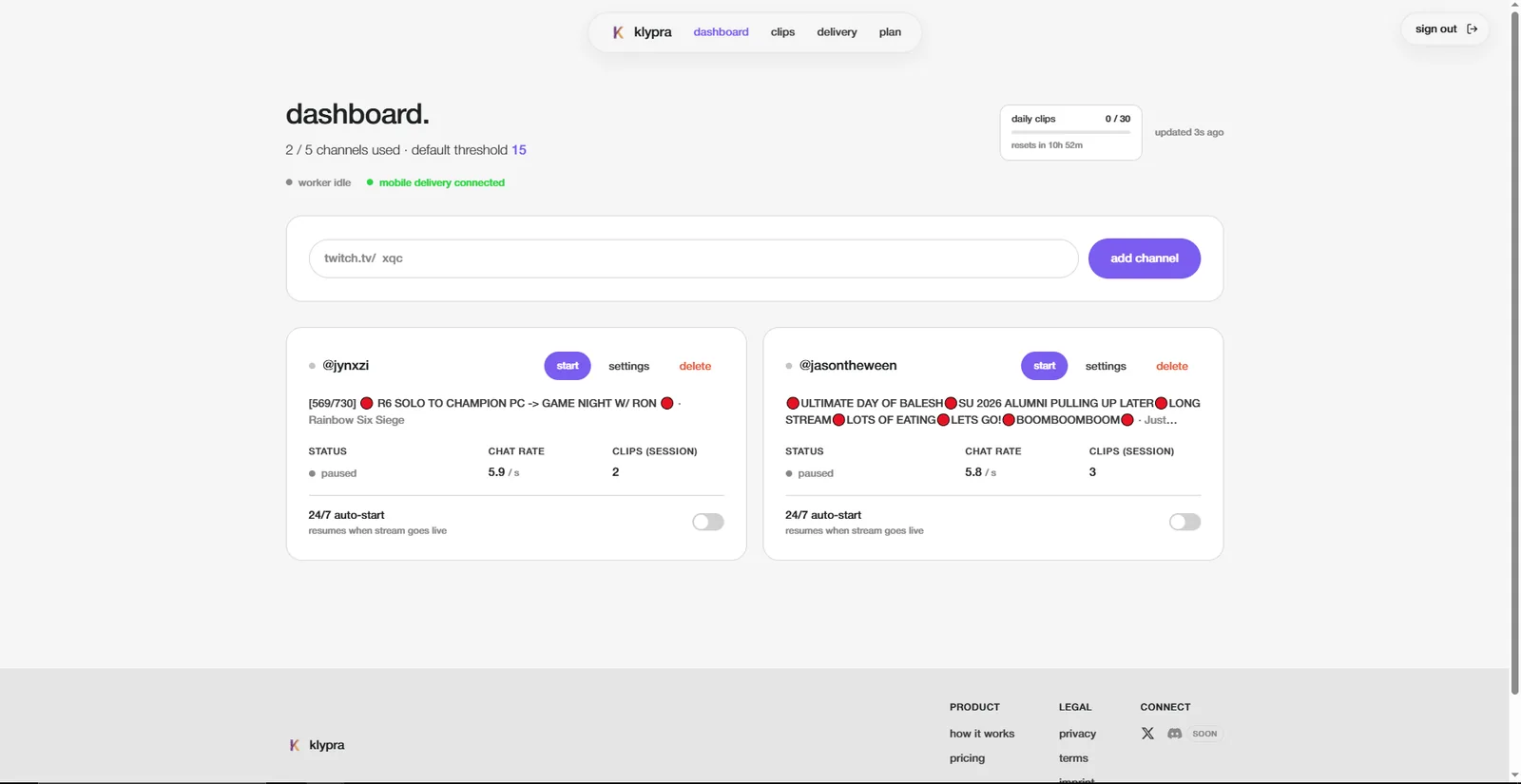
klypra's dashboard: live monitoring, auto-detected highlights, and clips delivered straight to Telegram.
As well as klypra, StreamLadder offers a free plan. What makes StreamLadder's free plan special is that there's no watermark on clips made with it.
How it works:
StreamLadder's free plan doesn't include its automatic AI highlight detection (ClipGPT). That means you have to know beforehand what clip you want to edit: either you manually cut together a clip or drop in the URL of a Twitch clip. The upload is limited to a specific file size, which is often not enough for a full 3-hour VOD.
StreamLadder offers a broad variety of templates, subtitles, and other effects to choose from. Your task is to use them to craft a viral clip. StreamLadder also helps with reframing for TikTok, Reels, and Shorts, but its AI doesn't track and detect facecams and more, on the free plan.
Besides the main use case, StreamLadder offers more tools completely for free, for example, a clip downloader that lets you download videos from Twitch, YouTube, or Kick without even registering.
StreamLadder offers a 7-day free trial that gives you full access to all Pro features, including AI highlight detection. After that, StreamLadder's Gold plan costs $15/month, and Gold + ClipGPT (AI highlight detection) costs $27/month.
Many guides used to recommend using Eklipse as a free tool for highlight detection and StreamLadder for reformatting. That was a solid strategy for a long time. But since Eklipse dropped its free plan, this combo isn't free anymore, and combined, it now costs more than most other tools on this list.
So if you're willing to put in the time and effort to find viral highlights yourself and just need a tool for reformatting, StreamLadder is the best option for you.
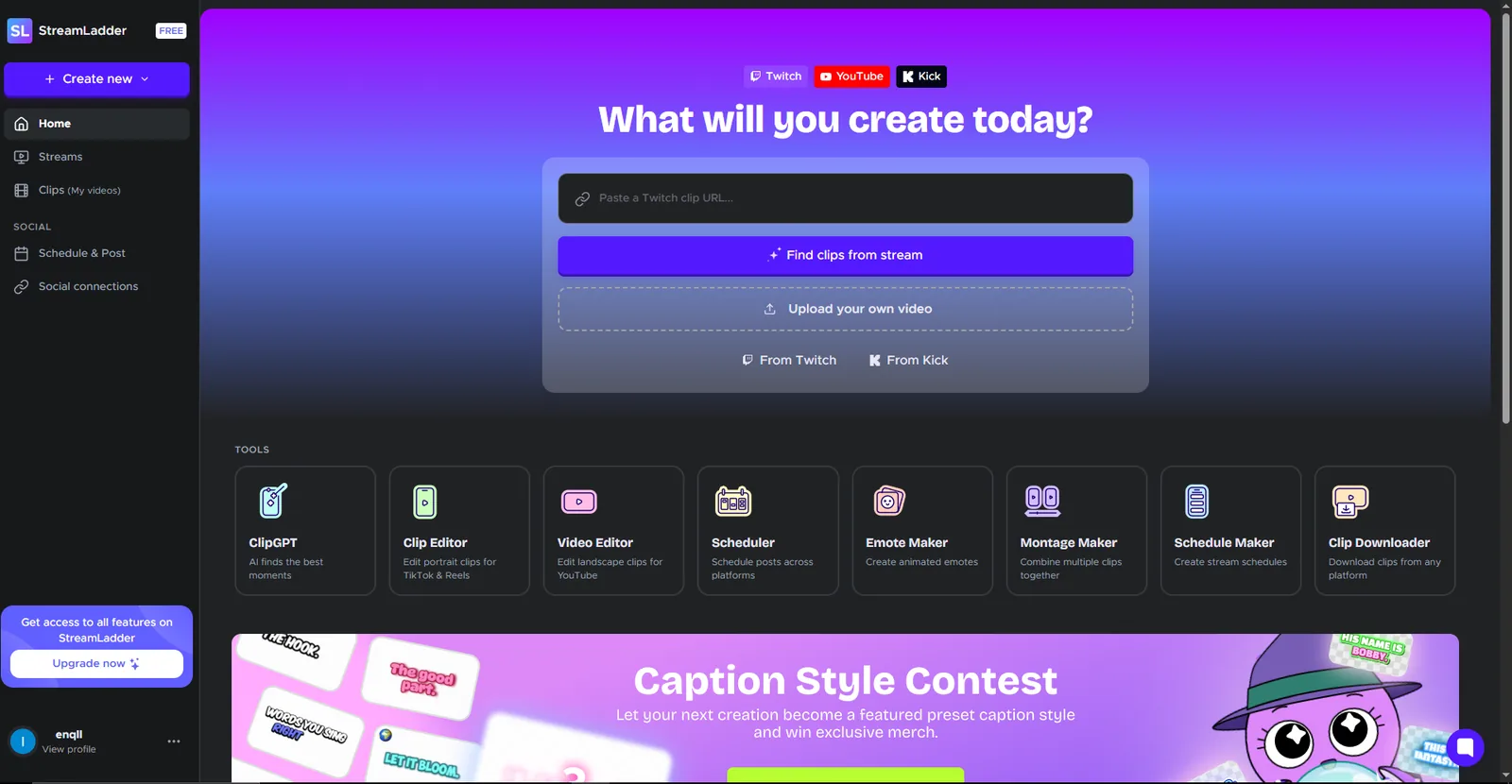
StreamLadder's editor: pick a template and craft your clip manually, no AI highlight detection on the free plan.
Opus Clip is another very popular platform offering a free plan without requiring users to enter their credit card information.
The free plan gives you 60 credits per month to generate videos, with 1 credit being 1 minute of source video. You can only upload local files or paste a YouTube link, Twitch import isn't available at all on the free plan (it's locked behind the $29 Pro plan), which is a huge disadvantage for Twitch clippers. Downloading a multi-hour VOD to your PC and re-uploading it takes storage space and a lot of time.
Every Opus Clip clip carries a visible watermark, and clips are deleted from the dashboard after 3 days. When on the free tier, Opus Clip doesn't offer an editor to edit clips afterward, so you'll have to work with whatever the AI has produced.
New users get a 7-day free trial with 90 credits and access to every feature. After the trial, users have to pay $15/month for Starter or $29/month for Pro.
All in all, Opus Clip is, for good reason, one of the largest clipping platforms out there, with more than 10 million registered users. However, what makes the platform so strong is hidden behind a paywall starting at $15 per month. Opus Clip is also not the ideal option for Twitch clippers, it works best for podcasters and YouTubers.
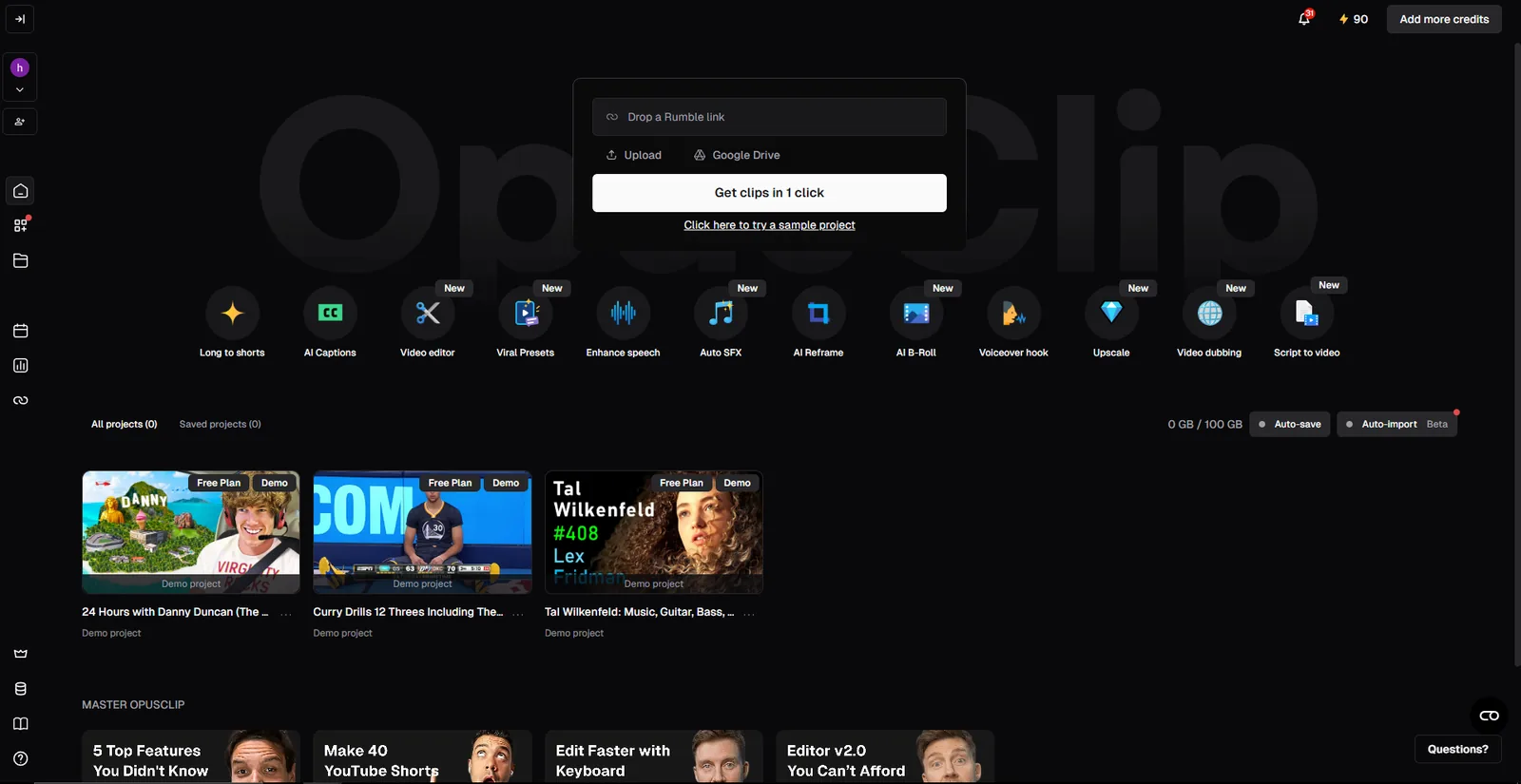
Opus Clip's dashboard: strong for YouTube and podcast clips, but Twitch import is locked behind the paid plan.
Vizard AI is yet another platform offering a free plan without requiring credit card information.
The free plan gives you 60 credits/month, watermarked exports at 720p and generated clips are only stored for 3 days before they get deleted.
Vizard AI works with uploaded files and links, including Twitch VOD links, but there's no live monitoring. You still have to wait until the stream ends and paste the VOD link, instead of getting clips while you're still live.
Vizard AI markets itself as a cheaper alternative to Opus Clip, which clarifies in the pricing. But for Twitch clippers, this comparison doesn't really matter, since neither tool is built for clipping Twitch streams in real time.
After the free plan, Vizard's Creator plan costs around $14.50-19/month, unlocking 4k exports, watermark-free clips and scheduled posting to 6 social accounts. All in all, Vizard AI is a solid, budget-friendly product, if you focus on podcasts and YouTube videos.
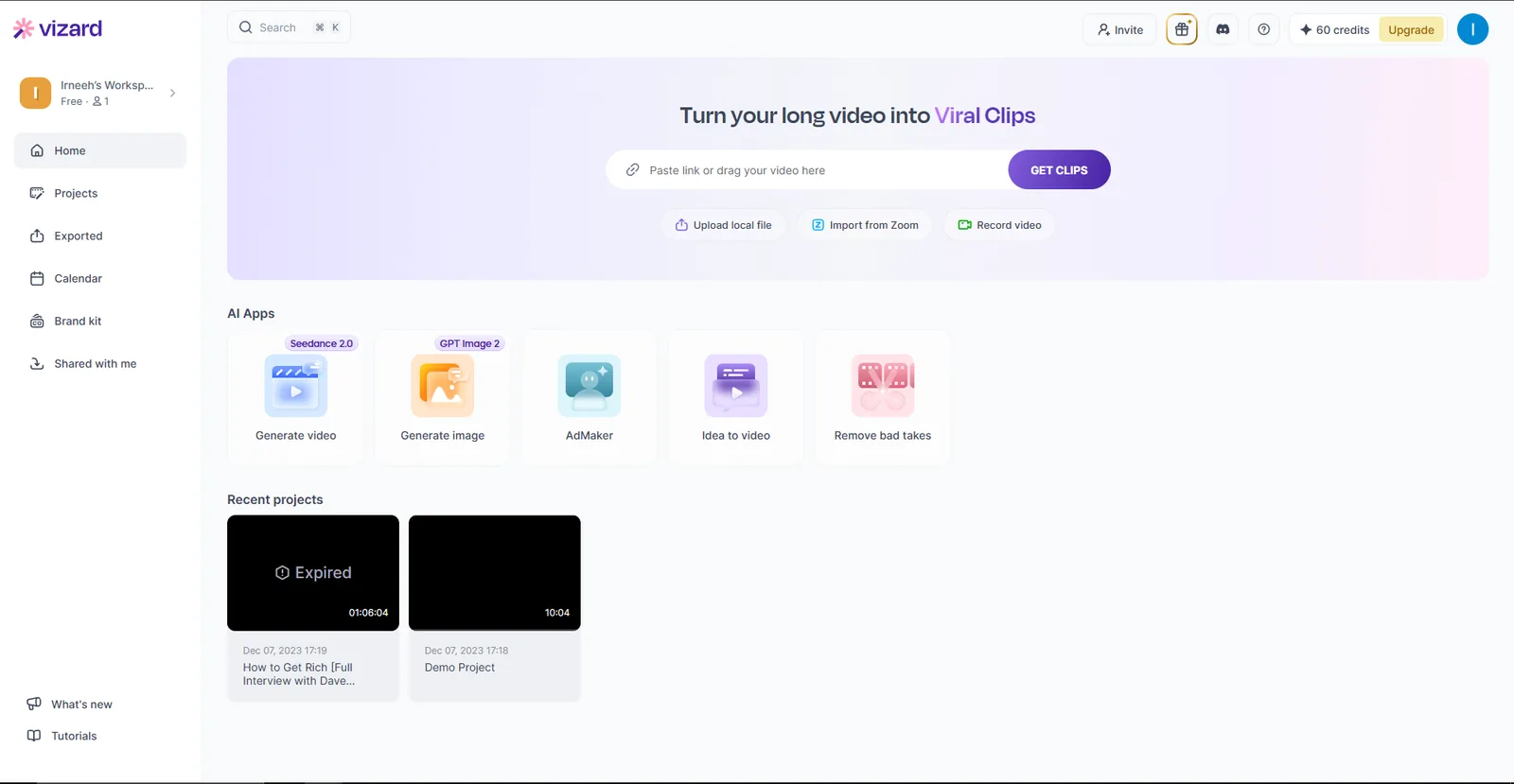
Vizard AI's interface: works with Twitch VOD links, but there's no way to monitor a stream live.
The five tools below are the ones people actually weigh against Eklipse. Every cell is a concrete value rather than a checkmark, because "good free plan" means nothing until you know how many clips you get and at what resolution. Prices are the public list prices as of September 2026.
| klypra | Eklipse | StreamLadder | Powder | Medal.tv | Cross Clip | |
|---|---|---|---|---|---|---|
| Free plan price | €0, forever | $0, preview only | $0 | $0 | $0 | $0 |
| What the free plan gives you | 4 h monitoring/day, 5 clips/day, 50/month, 1 channel, 1080p | Previews of one recent stream, no export | Unlimited manual edits, 720p | All features, Windows desktop app only | Unlimited clips, 20 min max, 1080p | Unlimited conversions, 720p |
| Source material | Live Twitch stream, in real time | Finished Twitch, YouTube or Kick VOD | An existing Twitch clip you paste in | Own PC recording or finished VOD | Local PC gameplay capture | An existing Twitch clip you paste in |
| Finds highlights for you | Yes, live from chat activity | Yes, after the stream ends | No on free, AI clipping on Gold+ | Yes, 40+ supported game titles | Game-event triggers, not full-stream analysis | No |
| Auto subtitles | Yes, on free | Premium only | Yes | Not published | No | No |
| 9:16 vertical output | Yes, automatic | Yes, Premium | Yes, manual | Yes | Manual crop | Yes, manual |
| Watermark on free output | Yes | No free export at all | Only on premium-tier effects | Not published | Yes, on downloads | Yes |
| Free export resolution | 1080p | No free export | 720p | Not published | 1080p | 720p |
| Cheapest paid plan | No paid plan yet | $24.99/mo, or $179.99/yr | From about $8/mo, $27/mo for AI clipping | Pro tier by sales enquiry | $6.99/mo ad-free, $9.99/mo Premium | $4.99/mo, or $49.99/yr |
| Works without a PC running | Yes, runs server-side | Yes | Yes | No, Windows only | No, Windows or Mac app | Yes |
| Best for | Clipping someone else's live Twitch stream | Streamers already paying for a clip tool | Editing single clips by hand, watermark-free | PC gamers clipping their own gameplay | Capturing your own PC gameplay | Converting one clip to vertical, fast |
Eklipse is in this table for context, not as a recommendation. It's the tool that started this whole comparison by dropping its free plan. Opus Clip and Vizard AI, covered further up, are deliberately left out of the table: both are podcast-first tools that take an uploaded file, so comparing them on Twitch-specific rows would flatter them for the wrong reasons.
The row that decides most of this is "source material". Powder and Medal.tv record your own PC, so they are useless if you want to clip someone else's stream. StreamLadder and Cross Clip start from a clip that already exists, which means you still have to be watching to catch the moment. Eklipse and klypra are the only two that go looking for the moment on their own, and Eklipse only does it after the stream has ended.
Not in any usable sense. A free account still exists and Eklipse's AI will scan one of your recent streams and show you previews, but you cannot export anything from it. Producing clips needs Premium, which is $24.99/month or $179.99/year, about $15/month.
klypra is the closest match, since it's the only tool on this list built specifically for live Twitch monitoring, with a genuine forever-free plan and no credit card required.
klypra and Opus Clip both offer automatic highlight detection on their free plans. StreamLadder's free plan doesn't include automatic detection, you have to find and cut clips yourself.
No. klypra, StreamLadder, Opus Clip, and Vizard AI all let you create a free account without entering credit card information.
Vizard AI accepts Twitch VOD links directly. Opus Clip only unlocks Twitch import on its $29/month Pro plan. Neither tool offers live monitoring, though, you still have to wait until the stream ends before pulling in the VOD.
StreamLadder is the only tool on this list with a completely watermark-free free plan for basic editing.
No, none of the four tools include scheduled or automatic posting on their free plans. That feature is paid across the board.
Eklipse is no longer usefully free, but there are real free alternatives. Which one fits depends less on features than on where your footage comes from. StreamLadder and Cross Clip are the picks if you already have the clip and just want it vertical, and StreamLadder gets you there without a watermark. Powder and Medal.tv are for clipping your own PC gameplay, not someone else's stream. Opus Clip and Vizard are better for YouTubers and podcasters. klypra is the only one here that watches a live Twitch stream and finds the moment for you, completely free right now, though it does put a watermark on the clip. The same "free vs. paid credits" tradeoff shows up again with other tools too, see free ViddyFlow alternatives for another comparison.
If you'd like to get a chance on a free month of pro, sign up for the waitlist. And if you're clipping to actually get paid, not just to grow a channel, see which platform pays the most for clipping Twitch streams. Ready to try klypra? The 5-minute setup guide walks through the whole thing.